Click on the FTP Manager link in the Account Settings area.
Click on the  button.
Click on the  button.
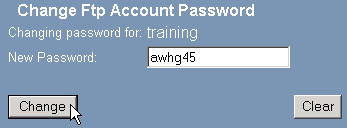
Enter the new password in the New Password field.
Click on the  button.
It is a good idea to regularly change your password. You should always change your password if you think someone else has access to your FTP account.
To change a password on an FTP account:
Click on the FTP Manager link in the Account Settings area.
Click on the button.
Click on the button.
Enter the new password in the New Password field.
Click on the button.